
Udom SR2 login
 KOBA FORUM
THE UNIVERSITY OF DODOMA ,UDOM STUDENT RESULTS MANAGEMENT SYSTEM (SRMS) PORTAL LOGIN
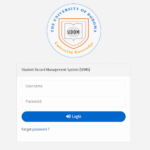
Udom SR2 login-UDOM Student management System[SRMS]
THE UDOM SR2 STUDENT PORTAL
The University of Dodoma , UDOM is among of University in Tanzania which almost all issue of Academic ending to the system portal of the University. The Academic results , Accommodation ,Transcript , Course registrations , and Fee structure all of these are found on UDOM Student Management System portal called SR2 portal-sr2.udom.ac.tz. Sr2 portal Allow two users both Staff and Students , The staff Access their pages as well as the Students views their pages, The system detect the entered detail in login page is either staff or student through Login Credential.
Sr2 UDOM login account and sign up online
The new students selected at University of dodoma , UDOM can not sign up themselves on the UDOM SR2 portal but the login credential which are Username and password of the specific student are obtained once the Student doing University registration . After getting login credential the student can Access his or her portal for checking Academic Updates of the University by login SR2 systems.
UDOM sr2 results today time
The both staff and Student at University of Dodoma can use this link below to Access their Account for differents purposes for any time , Once the system crush contact the system Administrator by contact number below for fix issue . Click the title link below to login to sr2 portal and note that don’t share your login credential :-
| FOR UDOM SR2 LOGIN PORTAL JUST CLICK HERE !!! |
See also :- Accountant job at Onfon microfinance 2026
How to Login or Access the UDOM SR 2 portal ???
The registered students at the University of Dodoma , UDOM can Access Quickly his or her Account to view and perform differents issue related with Academic at the University . Below are the several steps that Assist the registered Student at UDOM who have Username and Password to login to Account :-
Step 01 :- Launch the UDOM SR2 portal via this link :- https://sr2.udom.ac.tz/site/login
Step 02 :- After the link Open it will display login page that Allow user to enter Login credential , Enter your username then
Step 03 : Enter your Password After that
Step 04 : Finally ,Touch the sign in to login to UDOM SR2 page Dashboard
What to do if the Registered Student at UDOM fail to Access his or her SR 2 Account ???
The failure of the registered user of Sr2 portal to login may be caused by various different issue like Internet Connection , Password error or user forgot password and Also sometimes SR2 Account can be locked.If all possible problem happen visit or Contact the system Administrator of UDOM.
What services or features Available at UDOM SR2 portal ???
The University of Dodoma , UDOM played a huge role on ensure that almost all Activities within the University are ending Online , So f’rom that UDOM SR2 portal formed and now Registered student at UDOM can Access various services in SR2 which are :-
- Course Registration
- Exam results
- Checking course work results
- Checking Accommodation and free structure
- Downloading Academic Transcript
- Uploading various Document
- Updating personal details.
UDOM SR2 login password Forgot
Sometimes the registered student at the University of Dodoma , UDOM got failure on Accessing SR2 Dashboard due to password error or user forgot password .When this happen below there is “Forgot Password ” button click and follow the coming steps in order to Add new remembered password . If problem remain the same please contact University System Administrator .
For more Information about THE UNIVERSITY OF DODOMA ,UDOM just visit :- https://www.udom.ac.tz/
CONCLUSION
The UDOM SR2 portal Indicate the sign of Technology in the University of Dodoma , UDOM because the portal perform almost all Activities in the University which could be done Physical to the Office so it save time and Energy of Complete certain issues. All SR2 portal users should be Aware on saving their login Credential for future login.